
Wholesale
Best Shopify variant table setup for wholesale and bulk orders
Wholesale buyers often know exactly what they need: multiple sizes, colors, packs, or units from the same product page. A variant table can turn that buying flow into a faster order form instead of a repeated variant picker process.
Why bulk buyers need a different product page flow
A retail shopper may buy one size or color. A wholesale buyer may need five sizes, three colors, or a mix of variants for inventory restocking. If each variant requires a separate selection and add-to-cart action, the order takes longer than it should.
A table layout is closer to a purchase sheet: buyers can scan all available variants, enter quantities, and add selected variants to cart together.
Important table features for wholesale stores
- Quantity controls: let buyers choose quantities per variant directly in the table.
- Stock visibility: reduce frustration by showing what is available before the buyer adds items.
- Price visibility: help buyers compare per-variant pricing quickly.
- Variant images: make color, style, or model differences easier to recognize.
- Product rules: apply table behavior to the right products or collections.
Recommended setup
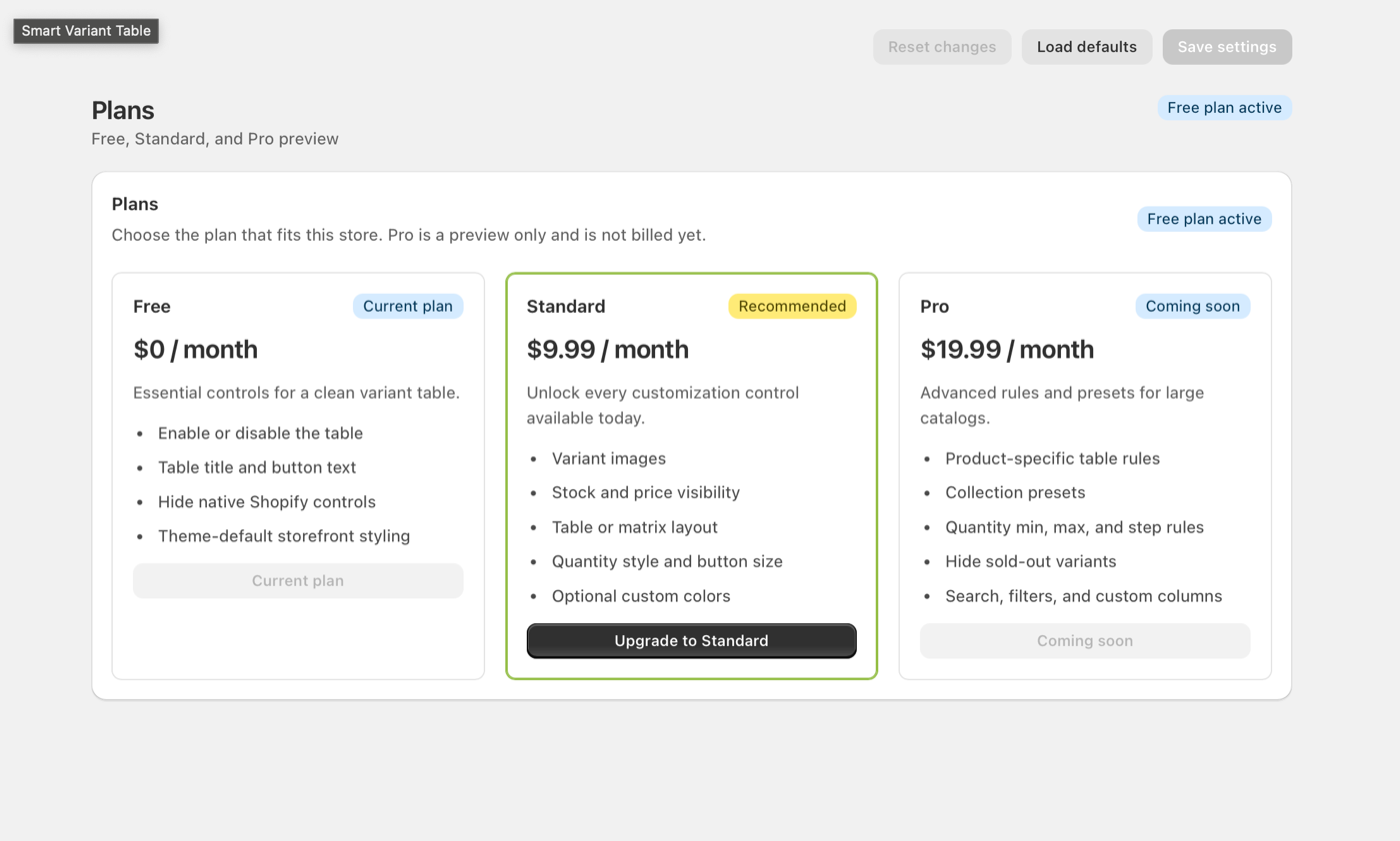
For a basic catalog, start with the free controls: enable the table, set a clear title, update button text, and hide native controls. Follow the Free plan setup video for the essential workflow. For stores with frequent repeat buyers or larger catalogs, Standard and Pro-style controls become more important because buyers need cleaner display rules and more precise configuration. The Standard plan video guide covers images, stock, pricing, layouts, quantities, and colors.
Good for fashion
Show each size and color combination in a table so buyers can order a full size run from one screen.
Good for electronics
Let buyers compare model, capacity, price, and stock without changing dropdown options repeatedly.
Bulk order page checklist
- Use a short table title such as “Select options” or “Choose variants”.
- Keep quantity controls visible and easy to tap on mobile.
- Show stock when inventory matters for ordering decisions.
- Use product rules for specific wholesale or multi-variant products.
- Test the add selected items to cart button with several variants selected.
Make bulk variant orders easier
Smart Variant Table helps Shopify stores turn complex variant products into a faster, clearer buying experience.